Solax
You need tokenID, API Address and Registration number from SolaxCloud to add Solax solar inverter to Energy Ease App.
How to get tokenID and API Address?
Using the Solax app:
-
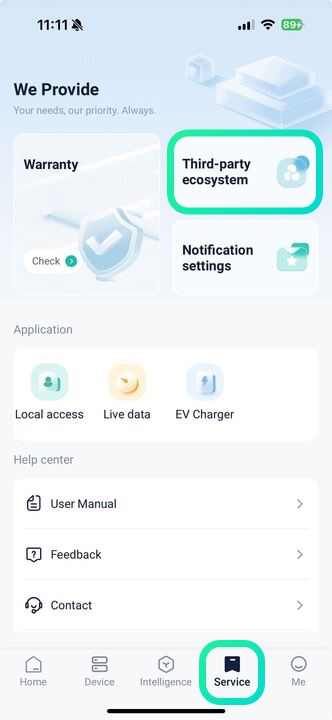
In the app, tap Service at the bottom of the main screen. On this page, select Third-party ecosystem;
-
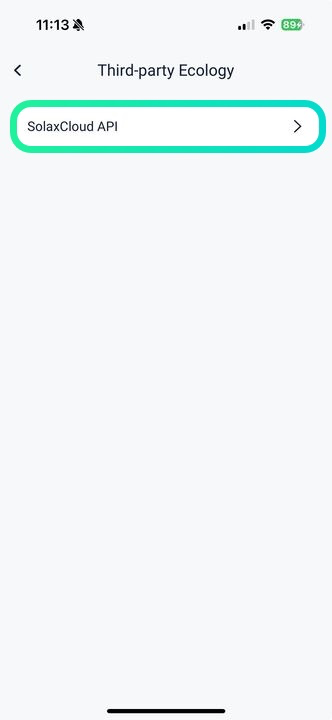
Choose SolaxCloud API;
-
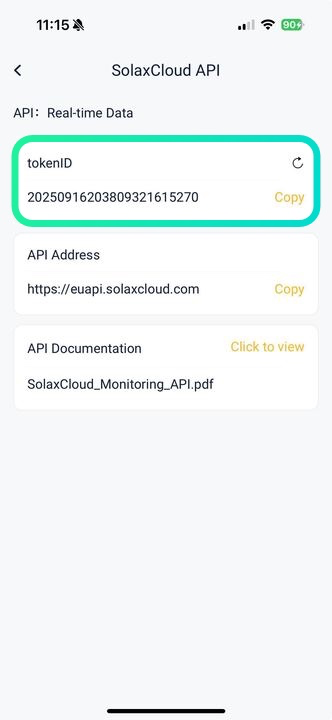
Copy the token ID and API Address from the app.
Using Solax web:
-
On the main page, go to Service in the left sidebar;
-
Click Third-party ecosystem;
-
Here you can copy your token ID and API Address.
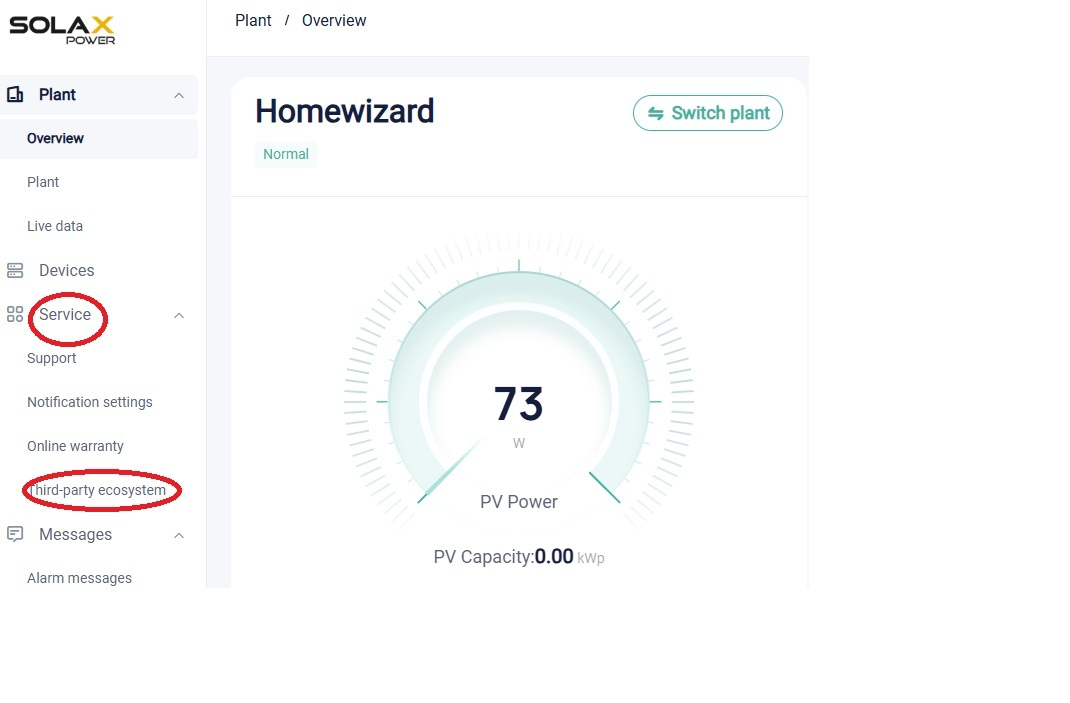
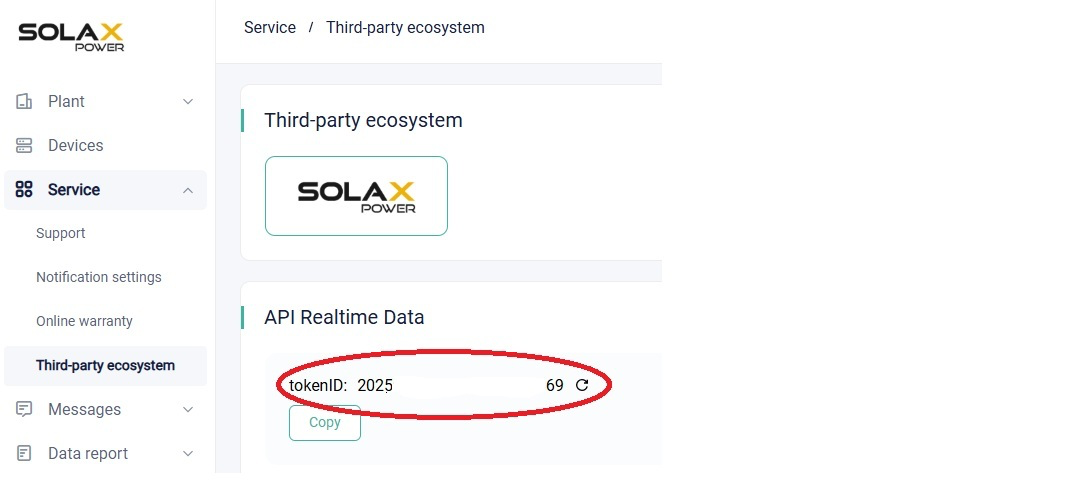
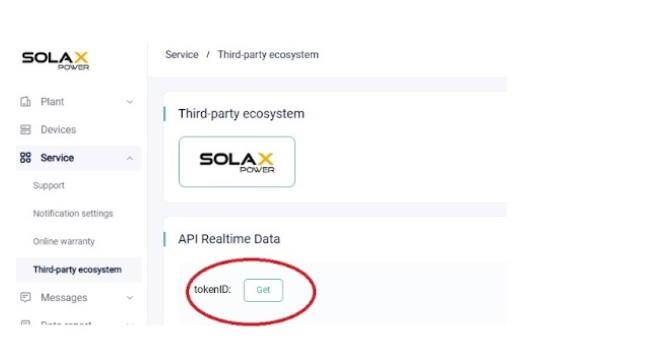
If no Token ID is displayed, click Get to request one. Then return to step 3 to copy it.
How to find Registration number?
Using the Solax app:
-
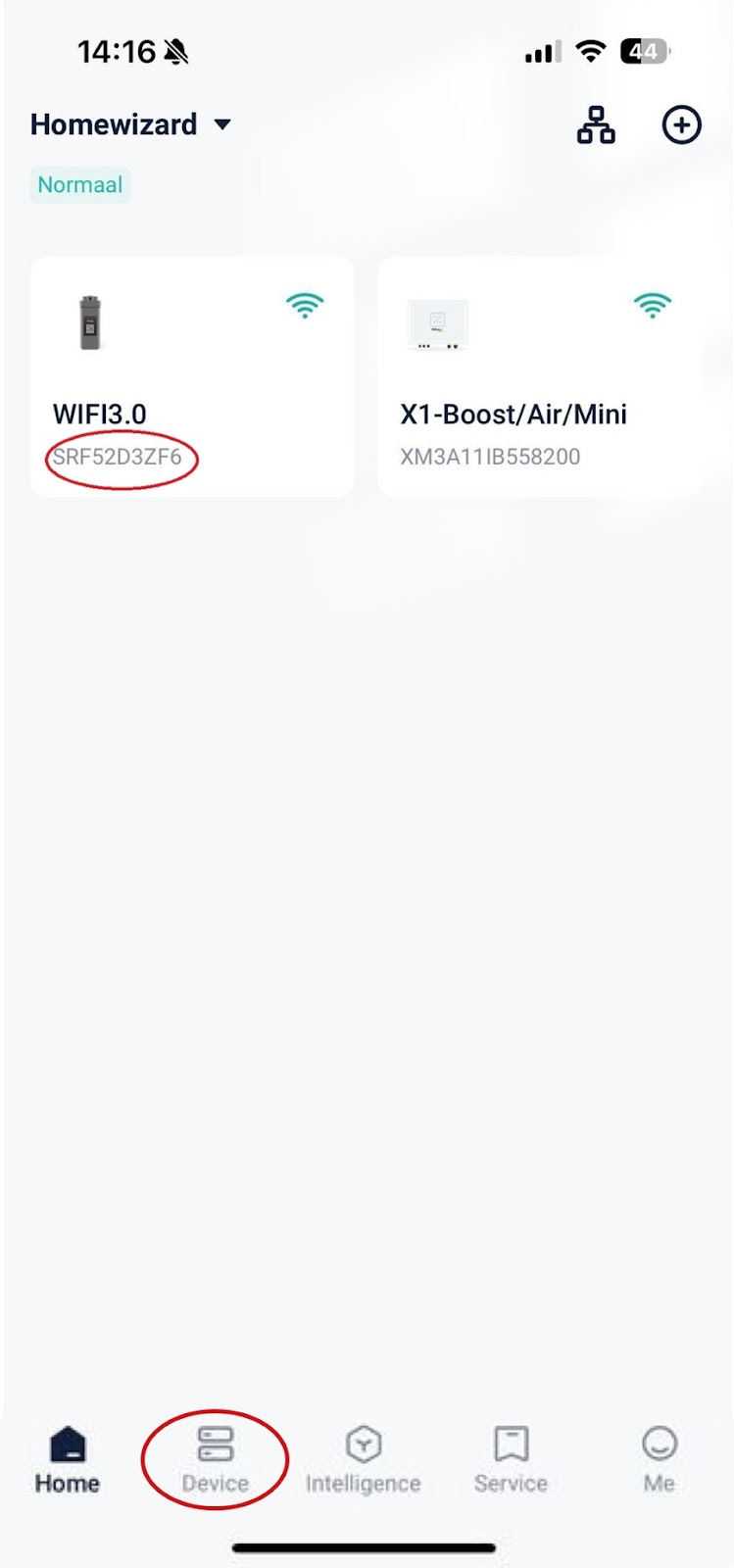
In the app, tap Device at the bottom of the main screen;
-
Your inverter will be listed with the Registration Number shown below it.
Using Solax web:
-
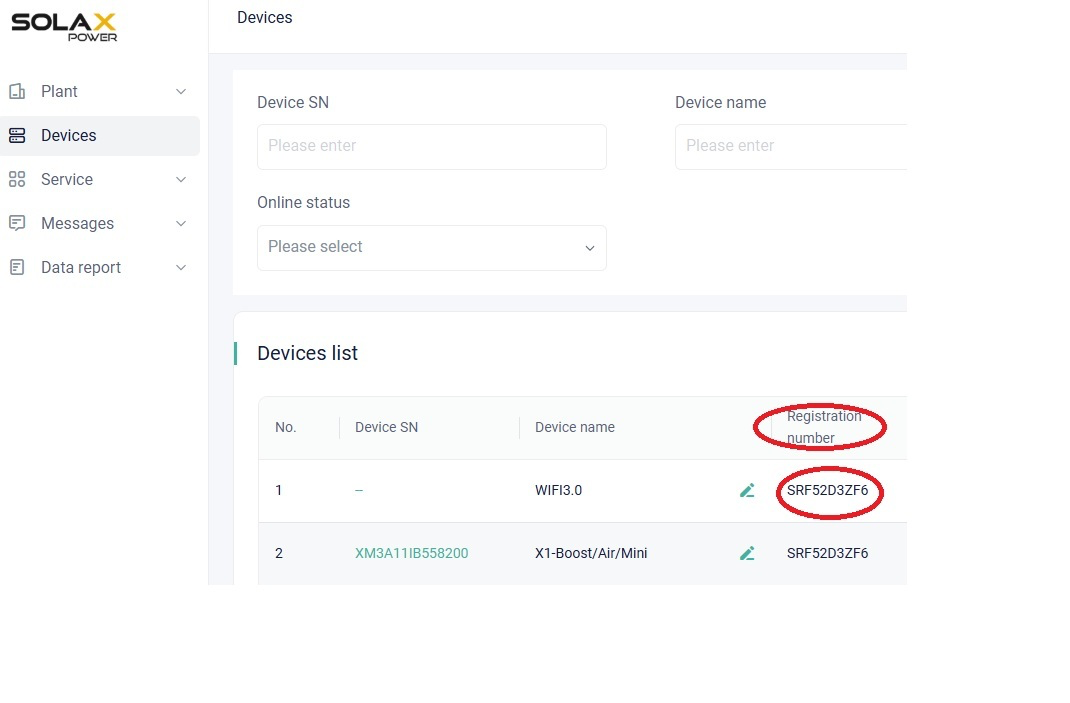
On the main screen, go to Devices in the left sidebar;
-
In the Devices list, you will find the Registration number.