Smart
Smart Mode automatically manages charging and discharging of your INDEVOLT micro energy storage system based on real-time electricity prices to:
- Reduce electricity costs
- Improve solar and battery utilization
- Generate higher earnings during price fluctuations
In short: the system charges when electricity is cheap and discharges when electricity is expensive, fully automated and continuously optimized.
- Your home uses dynamic or time-of-use electricity pricing (not a fixed price plan).
- Your home has an INDEVOLT micro energy storage added in the App.
1. Device Operating Status
Charging (during low electricity prices)
Actual charging power depends on the maximum input power supported by your inverter.
The system will:
- Prioritize solar power to charge the battery;
- Automatically draw power from the grid if solar energy is insufficient;
- Stop charging once the battery is full.
Discharging (during high electricity prices or high household demand)
Actual discharging power depends on the current load source (meter, smart plug, or default load).
The system will:
- Prioritize solar power to supply household usage;
- Use the battery to supplement power if solar energy is insufficient;
- Automatically stop discharging when battery reaches the reserved backup SOC limit.
Idle (outside scheduled price strategy periods)
In Idle status:
The battery will not actively charge or discharge from the grid.
Solar power will:
- First supply household consumption;
- Charge the battery with excess power if solar > load and battery is not full;
- Be automatically limited when the battery reaches 100% SOC.
2. Activate Smart Mode
-
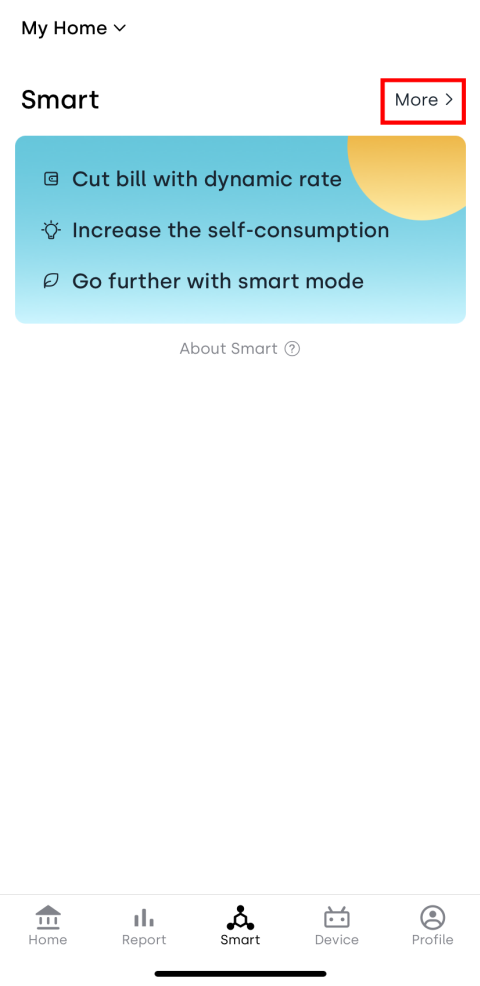
Tap More to enter the feature introduction page.
-
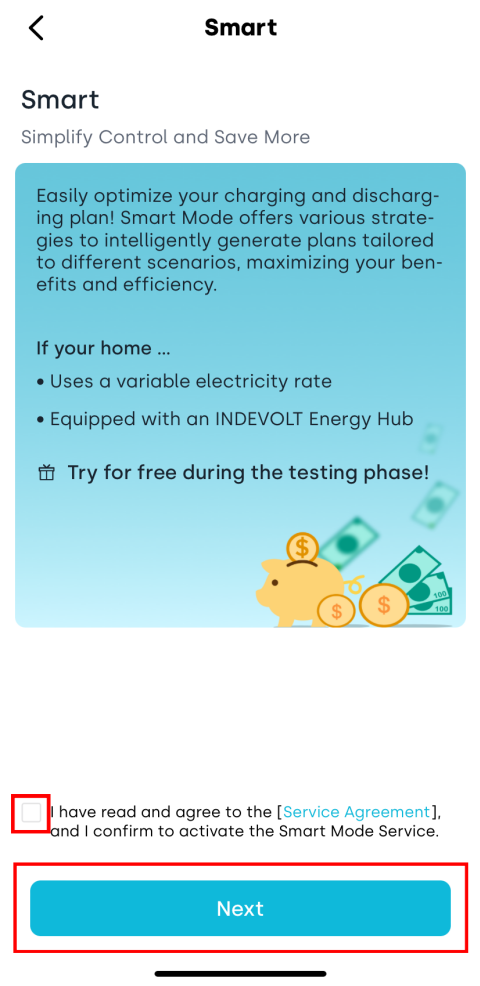
Read the Service Agreement and related information. After confirming everything is correct, check I have read and agree to the Service Agreement. Tap Next to complete activation.
3. Price-Based Strategy
Price-Based Strategy is the core of Smart Mode. By setting price thresholds, the system intelligently charges when prices are low and discharges when prices are high - maximizing the benefits from electricity price fluctuations.
3.1 Create a New Strategy
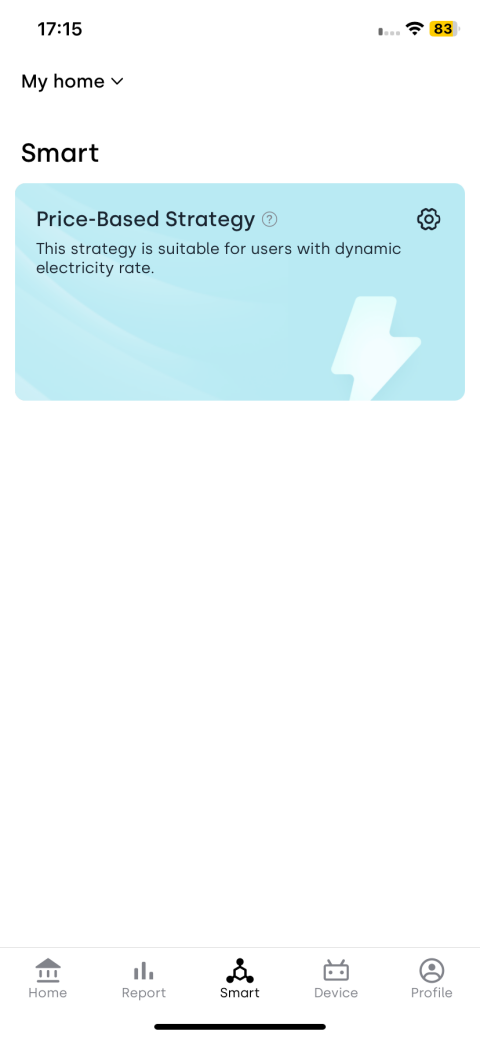
-
Tap the
 icon in the Price-Based Strategy section to enter the settings page.
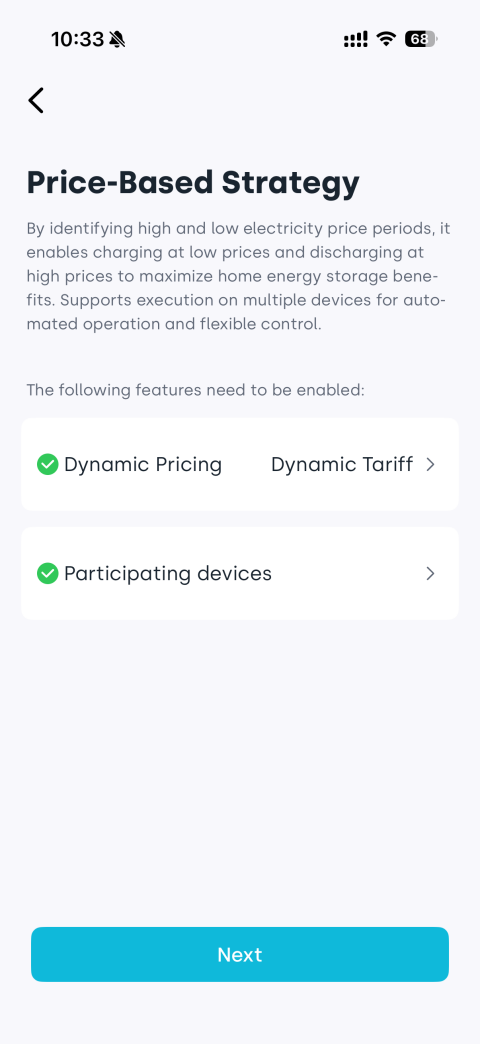
 -
Follow the prompts to ensure you have configured the electricity tariff and added eligible strategy devices to your home. If not, tap the corresponding sections to complete setup, then tap Next to proceed.
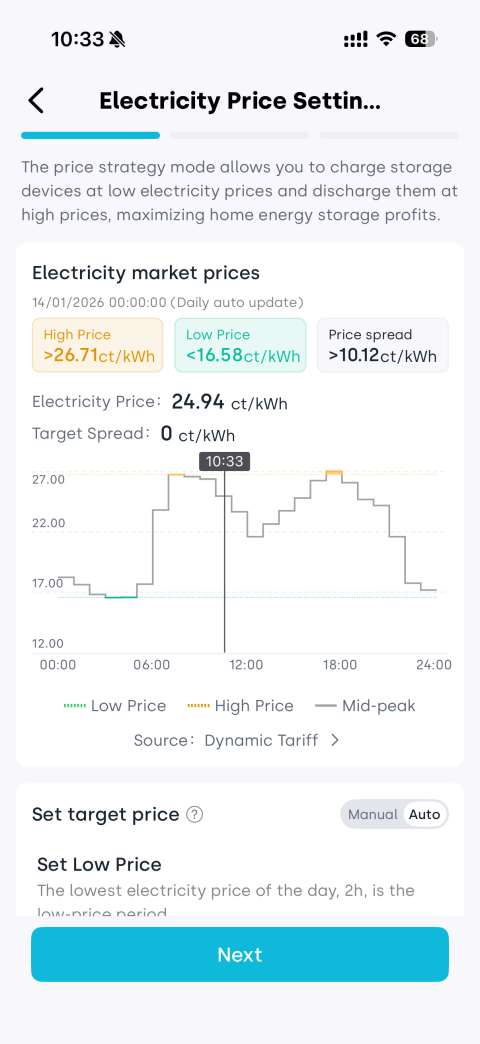
-
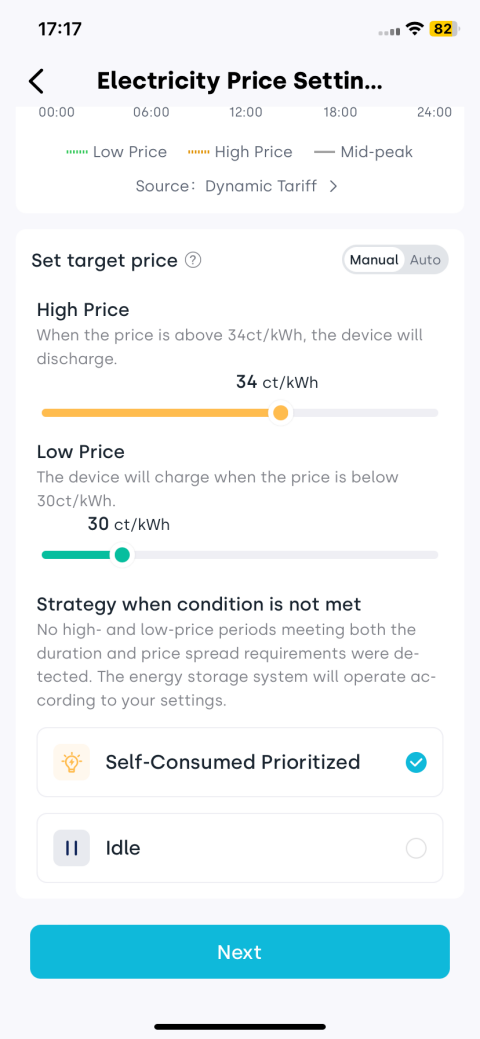
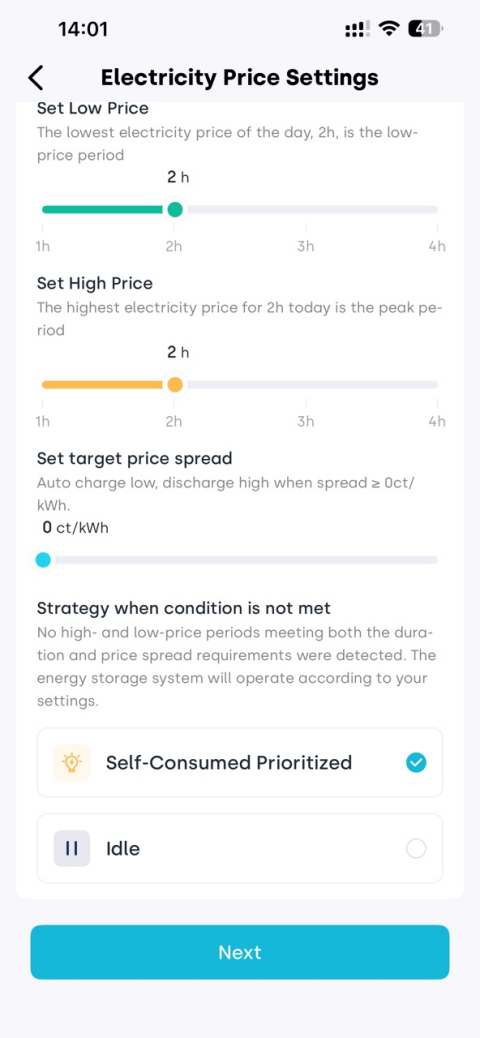
Set the target price for charging/discharging, and choose the strategy when conditions are not met (Self-Consumed Prioritized / Idle), then tap Next.
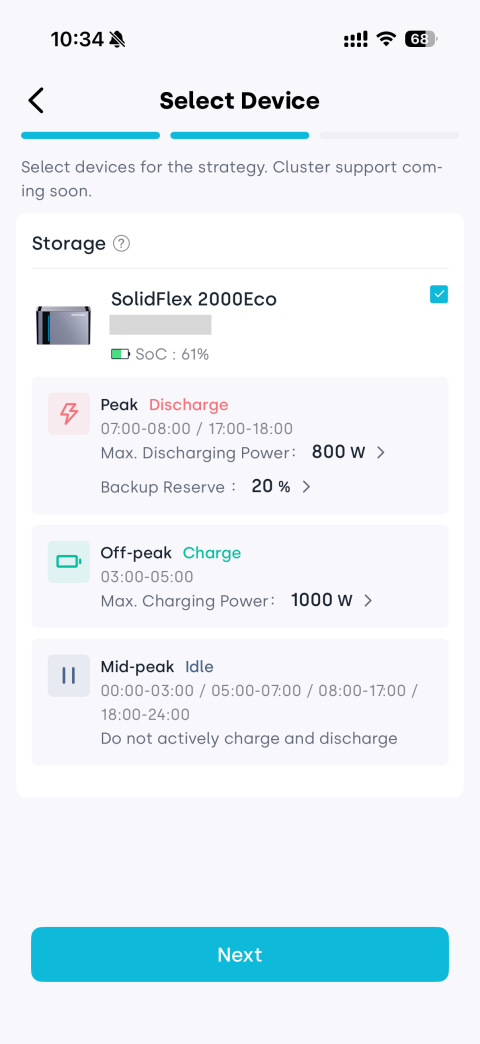
-
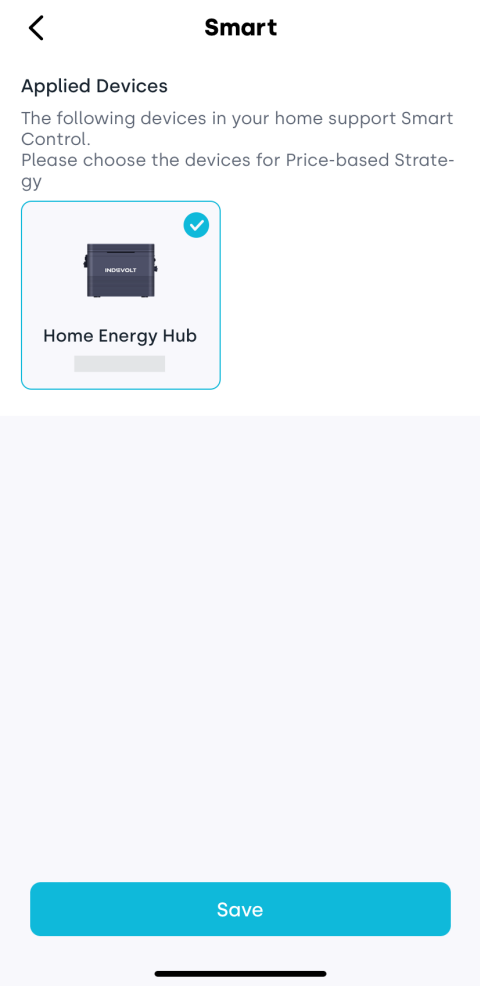
The page will display all compatible devices in your home. Select the device to apply the strategy to, then tap Next.
-
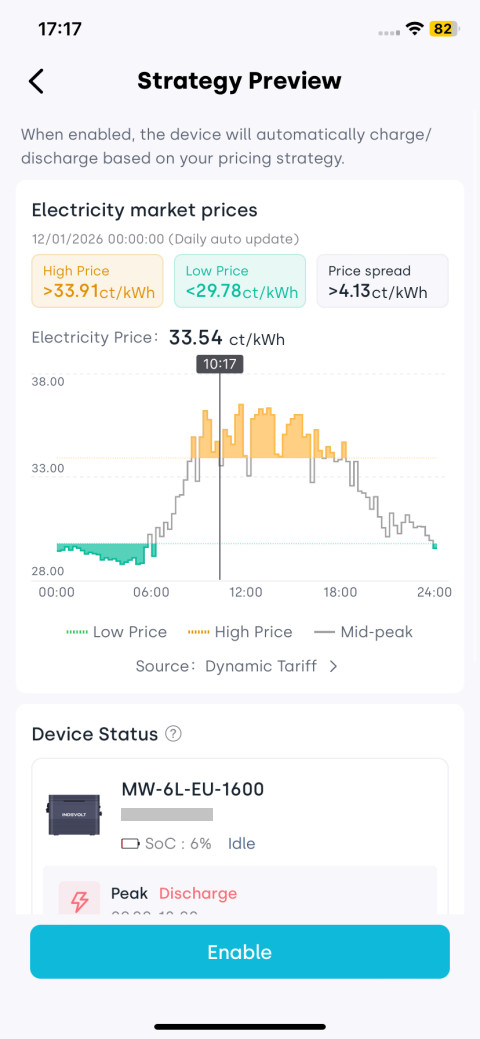
Preview the automatically generated charge and discharging plan. Tap Enable to activate the strategy.
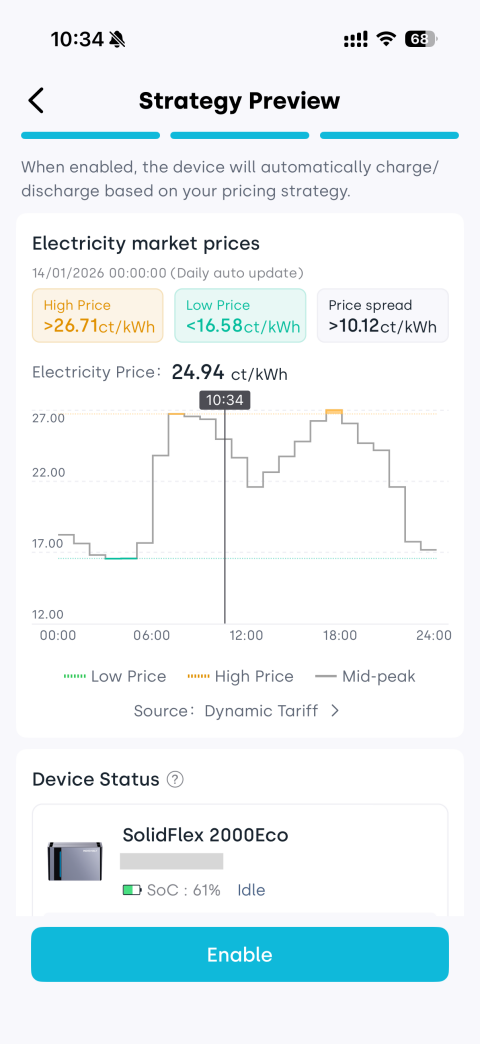
3.2 View Strategy
After a strategy is created, the Price-Based Strategy section will show the current schedule (Idle / Self-Consumed Prioritized / Charge / Discharge) and the toggle switch.
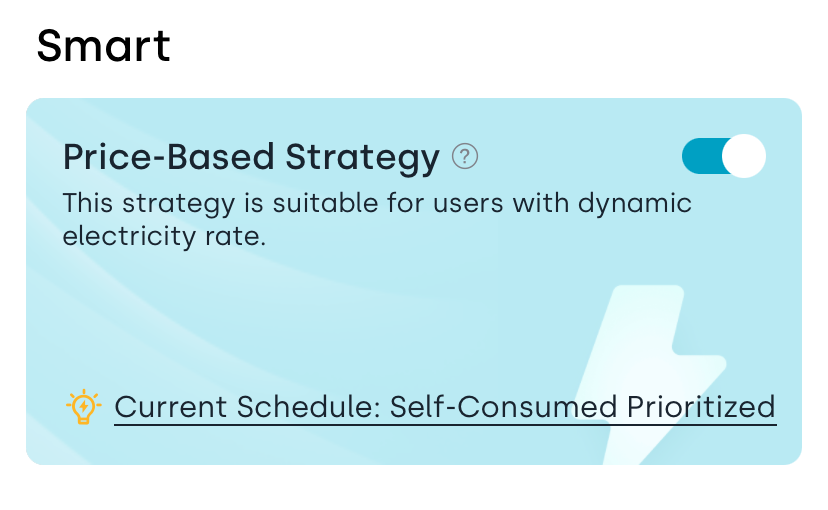
Tap the Price-Based Strategy section to view the schedule and the devices currently using the strategy.
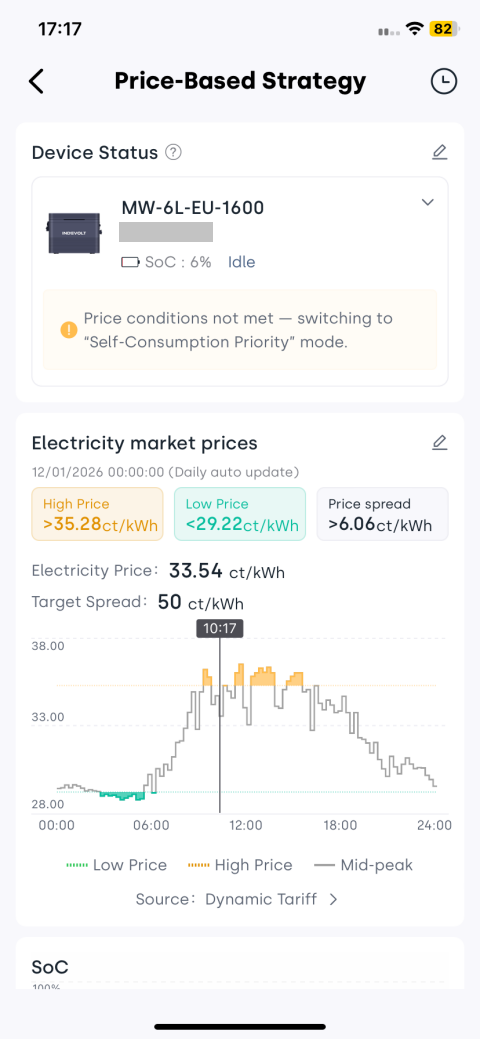
Tap the log icon at the top-right of the Price-Based Strategy page to open the strategy log and review all historical modifications and status changes.
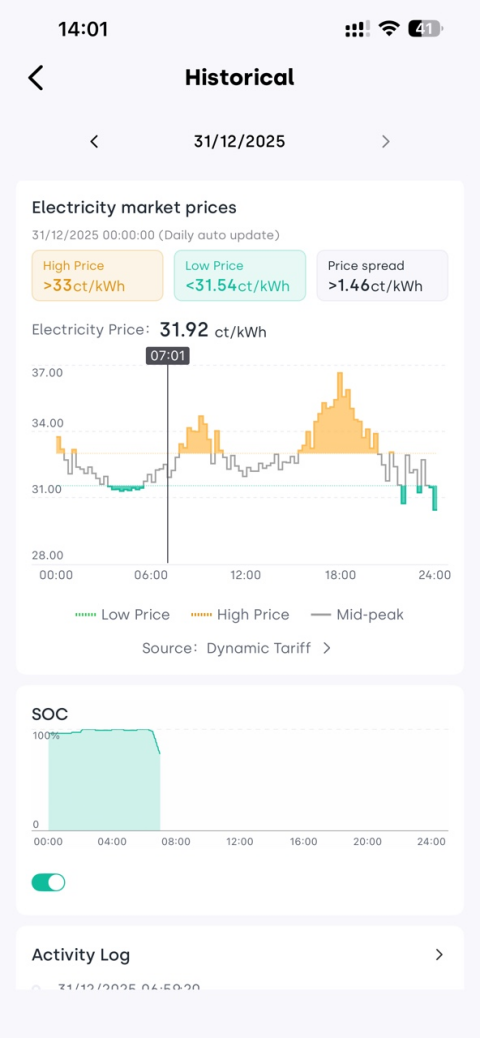
3.3 Edit Strategy
On the Price-Based Strategy page, you can update existing strategies at any time, including modifying applied devices or adjusting the target trigger price.
Edit Applied Devices
- In the strategy details page, tap the edit button next to the Device Status module.
- Re-select the target device from the list of all Smart-compatible home devices.
- Tap Next to preview the updated charge/discharge plan. Confirm and tap Enable.
Adjust Target Price
- In the strategy details page, tap the edit button next to the Electricity Market Prices module to reset the target price.
- Set your target price as needed. The system offers two options:
- Manual: Enter the charging (low price) and discharging (high price) trigger prices directly. Best if you already know your target electricity price.
- Auto: Define your desired price difference and select the low/high price time periods. The system will calculate the optimal trigger prices for you automatically.
- Choose the mode when current electricity price does not meet charging/discharging conditions (the device will switch to this automatically):
- Self-consumed prioritized: Solar and battery power will be used primarily to supply home loads and reduce electricity cost.
- Idle: Charging and discharging are paused. Solar power will supply home loads first, protecting the battery from unnecessary cycling.
- Tap Next, preview the updated plan, then confirm and tap Enable.