How to Get the Sungrow Appkey and Secret key
Follow the steps below to create an application in the Sungrow Developer Portal and obtain your Appkey and Secret key.
-
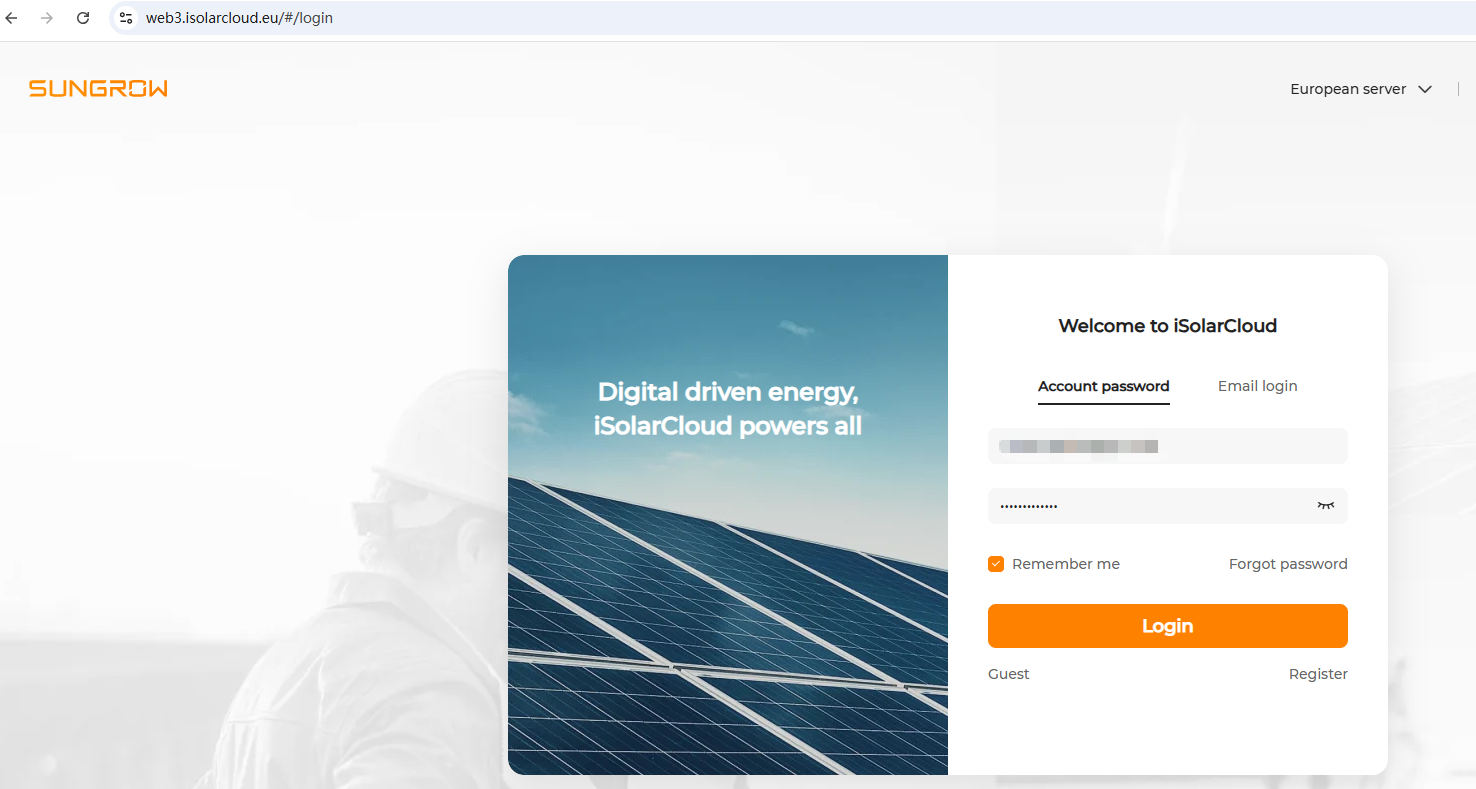
Go to https://web3.isolarcloud.eu/#/login and sign in with your iSolarCloud account.
-
Click the
 in the upper-right corner, then select Developer portal.
-
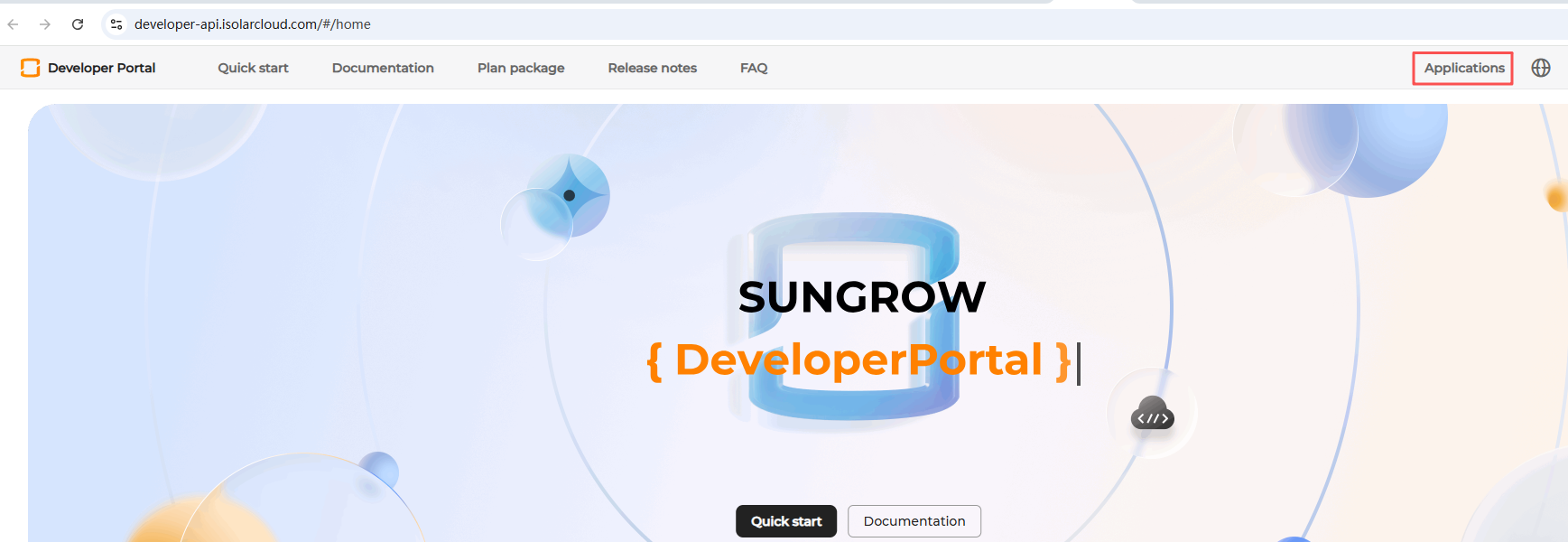
After entering the Developer Portal, click Applications in the upper-right corner to open the My applications page.
-
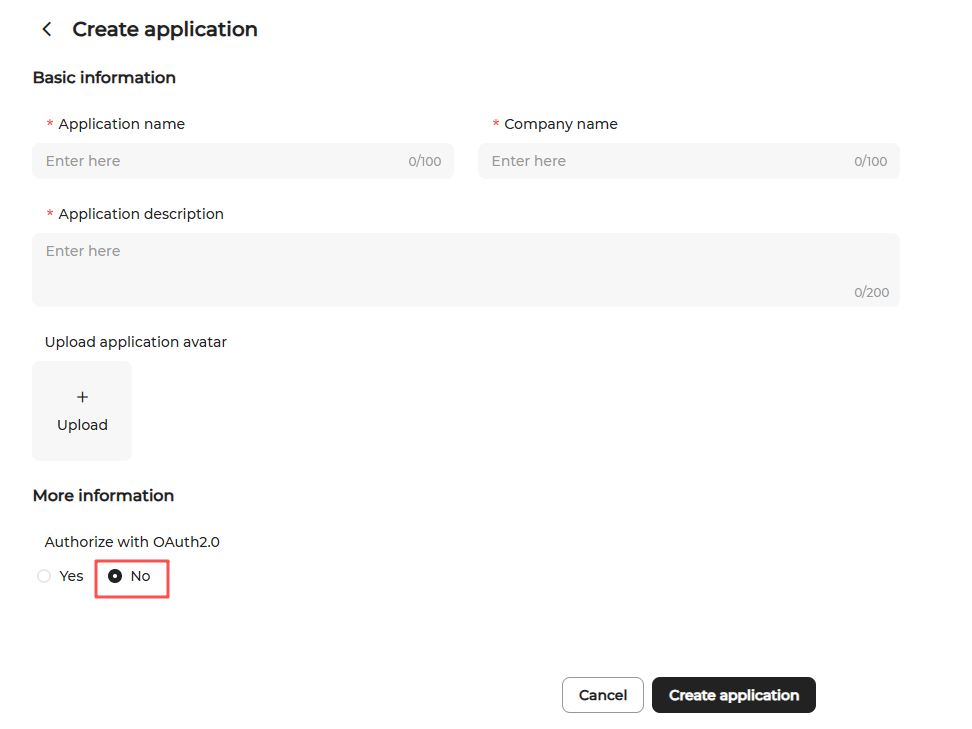
Click Create application to create a new application.

-
Fill in the application information:
- Application name: Enter the app name (Energy Ease) or another recognizable name, such as
My Home EMS. - Company name: Enter the name of the home created in the app or another suitable identifier, such as
My Home. - Application description: Enter a brief description, such as
Data Integration. - Authorize with OAuth2.0: Select No
Then click Create application.
- Application name: Enter the app name (Energy Ease) or another recognizable name, such as
-
Return to the My applications page and click View for the application you just created.
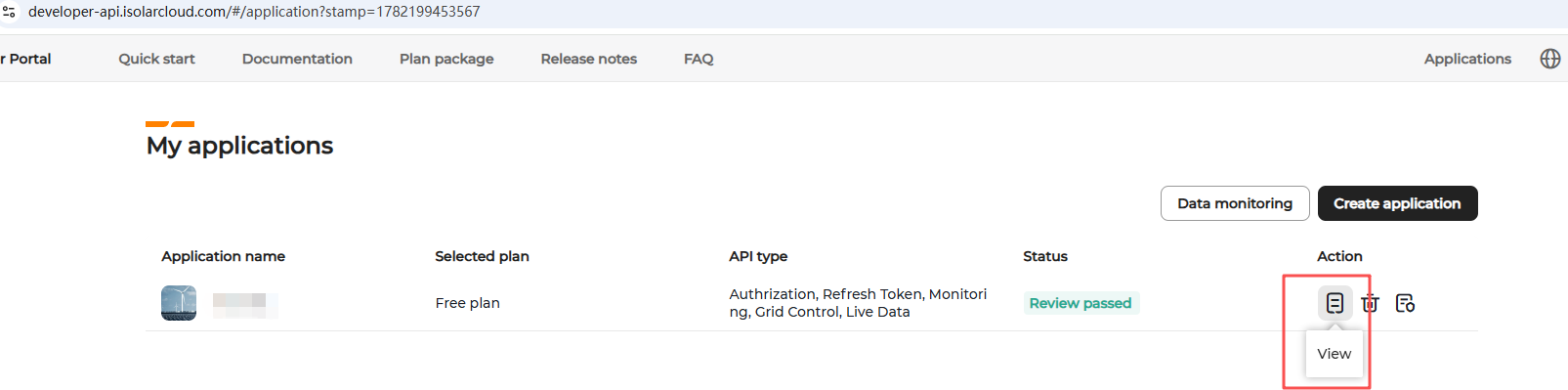
-
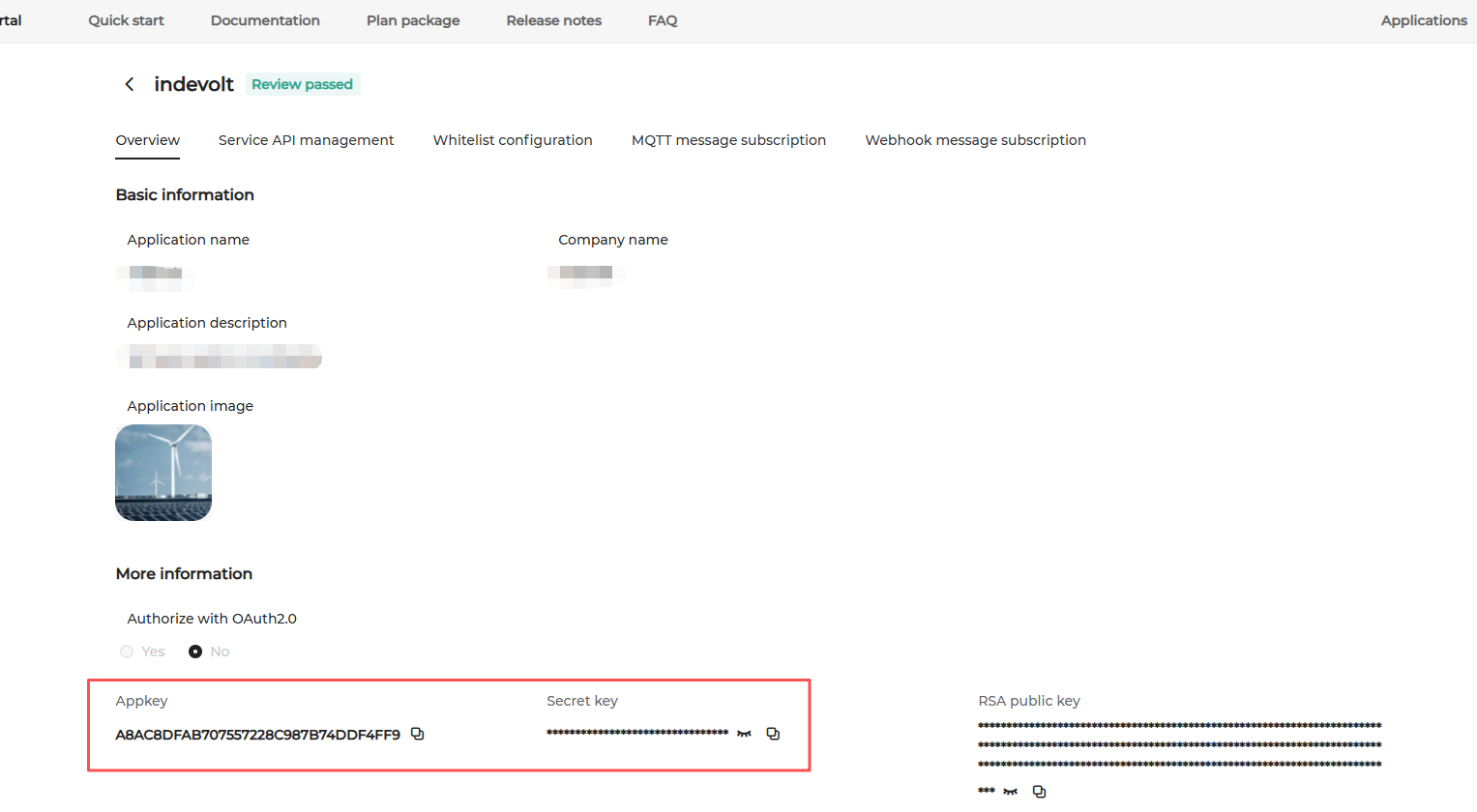
Your Appkey and Secret key are displayed on the application details page.